Medical Requisition Form3.0
Publisher Description
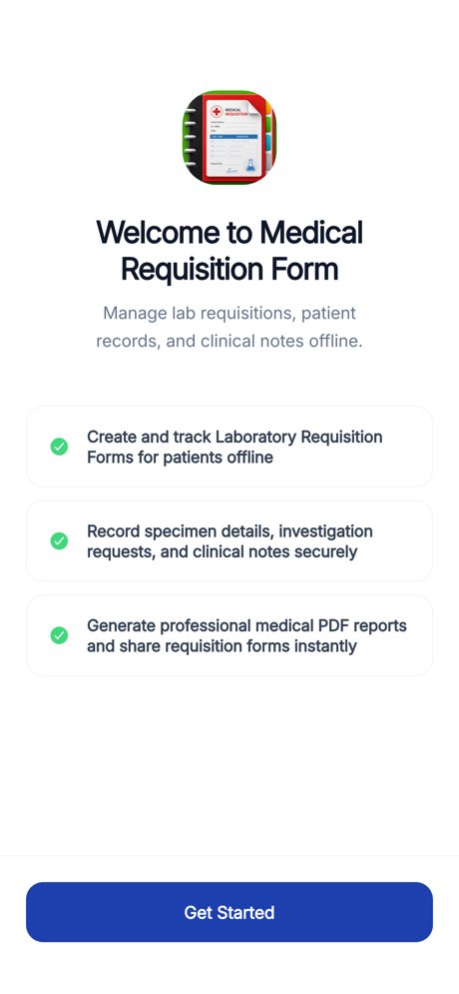


Are you looking for an easy to use, Medical Requisition Form?
Medical Requisition Form app is a good choice for you. This app helps you to create, manage, organize and e-mail Medical Requisition Forms with detailed information of the patient and room for investigation required prior treatment.
Provision has been given to add clinical notes, if any and results of any previous investigation.
The intuitive interface allows you to produce requisition form quickly wherever you may be. Further, the app provides you with ability to send multiple requisition forms from the same workbook. Simply tap on the worksheet and create the requisition forms.
You can also share the requisition forms. Simply tap e-mail, to send your letter to them instantly and let them review it for you. Alternatively, you can locally save and print the requisition form.
Version History IPFS Storage Integration
UI Enhancements 3.0 Jul 20 1.0 08/17/2016
About Medical Requisition Form
The company that develops Medical Requisition Form is Manu Gupta. The latest version released by its developer is 3.0.
To install Medical Requisition Form on your iOS device, just click the green Continue To App button above to start the installation process. The app is listed on our website since 2026-10-13 and was downloaded 4 times. We have already checked if the download link is safe, however for your own protection we recommend that you scan the downloaded app with your antivirus. Your antivirus may detect the Medical Requisition Form as malware if the download link is broken.
How to install Medical Requisition Form on your iOS device:
- Click on the Continue To App button on our website. This will redirect you to the App Store.
- Once the Medical Requisition Form is shown in the iTunes listing of your iOS device, you can start its download and installation. Tap on the GET button to the right of the app to start downloading it.
- If you are not logged-in the iOS appstore app, you'll be prompted for your your Apple ID and/or password.
- After Medical Requisition Form is downloaded, you'll see an INSTALL button to the right. Tap on it to start the actual installation of the iOS app.
- Once installation is finished you can tap on the OPEN button to start it. Its icon will also be added to your device home screen.
Program Details
System requirements
Download information
Pricing
Version History
version 3.0
posted on 2026-10-13
Version History IPFS Storage Integration
UI Enhancements 3.0 Jul 20 1.0 08/17/2016
version 3.0
posted on 2026-09-04
Version History IPFS Storage Integration
UI Enhancements 3.0 Jul 20 This app has been updated by Apple to prepare for watchOS 27 compatibility. No new features are included. 1.0 08/17/2016
version 3.0
posted on 2026-08-22
Version History IPFS Storage Integration
UI Enhancements 3.0 Jul 20 This update from Apple will improve the functionality of this app. No new features are included. 1.0 08/17/2016
version 3.0
posted on 2026-07-26
Version History IPFS Storage Integration
UI Enhancements 3.0 6d ago This update from Apple will improve the functionality of this app. No new features are included. 1.0 08/17/2016
version -
posted on 2026-02-08
version 1.0
posted on 2016-08-17
Aug 17, 2016 Version 1.0
This app has been updated by Apple to use the latest Apple signing certificate.
version 1.0
posted on 2016-08-17
17 Aug 2016 Version 1.0
This update is signed with Apple’s latest signing certificate. No new features are included.
version 1.0
posted on 2016-08-17
Aug 17, 2016 Version 1.0
This update is signed with Apple’s latest signing certificate. No new features are included.
version 1.0
posted on 2016-08-17
Aug 17, 2016 Version 1.0
This app has been updated by Apple to display the Apple Watch app icon.
version 1.0
posted on 1970-01-01
17 авг. 2016 г. Version 1.0
This update is signed with Apple’s latest signing certificate. No new features are included.
